1. How do you find out what’s your shell? – echo $SHELL
2. What’s the command to find out today’s date? – date
3. What’s the command to find out users on the system? – who
4. How do you find out the current directory you’re in? – pwd
5. How do you remove a file? – rm
6. How do you remove a – rm -rf
7. How do you find out your own username? – whoami
8. How do you send a mail message to somebody? – mail somebody@techinterviews.com -s ‘Your subject’ -c ‘cc@techinterviews.com‘
9. How do you count words, lines and characters in a file? – wc
10. How do you search for a string inside a given file? – grep string filename
11. How do you search for a string inside a directory? – grep string *
12. How do you search for a string in a directory with the subdirectories recursed? – grep -r string *
13. What are PIDs? – They are process IDs given to processes. A PID can vary from 0 to 65535.
14. How do you list currently running process? – ps
15. How do you stop a process? – kill pid
16. How do you find out about all running processes? – ps -ag
17. How do you stop all the processes, except the shell window? – kill 0
18. How do you fire a process in the background? – ./process-name &
19. How do you refer to the arguments passed to a shell script? – $1, $2 and so on. $0 is your script name.
20. What’s the conditional statement in shell scripting? – if {condition} then … fi
21. How do you do number comparison in shell scripts? – -eq, -ne, -lt, -le, -gt, -ge
22. How do you test for file properties in shell scripts? – -s filename tells you if the file is not empty, -f filename tells you whether the argument is a file, and not a directory, -d filename tests if the argument is a directory, and not a file, -w filename tests for writeability, -r filename tests for readability, -x filename tests for executability
23. How do you do Boolean logic operators in shell scripting? – ! tests for logical not, -a tests for logical and, and -o tests for logical or.
24. How do you find out the number of arguments passed to the shell script? – $#
25. What’s a way to do multilevel if-else’s in shell scripting? – if {condition} then {statement} elif {condition} {statement} fi
26. How do you write a for loop in shell? – for {variable name} in {list} do {statement} done
27. How do you write a while loop in shell? – while {condition} do {statement} done
28. How does a case statement look in shell scripts? – case {variable} in {possible-value-1}) {statement};; {possible-value-2}) {statement};; esac
29. How do you read keyboard input in shell scripts? – read {variable-name}
30. How do you define a function in a shell script? – function-name() { #some code here return }
31. How does getopts command work? – The parameters to your script can be passed as -n 15 -x 20. Inside the script, you can iterate through the getopts array as while getopts n:x option, and the variable $option contains the value of the entered option.
Tuesday, November 16, 2010
Basic shell scripting questions
Tuesday, November 16, 2010Labels: Linux Notes, Scripting 19 comments

Friday, October 29, 2010
To check Linux page I/P and page O/P errors
Friday, October 29, 2010
There are few commands to check the Page i/p and page o/p errors in Linux m/c.
$ getconf PAGESIZE
OR
$ getconf PAGE_SIZE
Output:
4096
- vmstat -s // this command will list the page i/p and o/p values at one time. No option for regular interval.
- sar -B 1 5 // this will display you the page values at regular intervals which you mentioned the delay.
- iostat 1 5 // this will aslo display you the page values at regular intervals which you mentioned the delay.
$ getconf PAGESIZE
OR
$ getconf PAGE_SIZE
Output:
4096
Labels: Linux Notes 0 comments
Monday, October 25, 2010
Thursday, September 23, 2010
GOOGLE PRE-SCREEN TEST!!
Thursday, September 23, 2010
Below are the few questions which I was asked by GOOGLE pre-screen test. hope it should be helpful.
TCP/IP
TCP/IP
- How many bytes in a MAC address?
- Which protocol is used by PING command?
- How many hosts are available in /23 subnet?
- What is the purpose for setting STICKY BIT on directories?
- What is the default signal send by KILL command?
- Which UNIX part is taken care of storing files information in INODE?
Labels: Interview, Linux Notes 0 comments
Sunday, August 29, 2010
Procedure to mount remote windows partition (NAS share) on Linux
Sunday, August 29, 2010
Procedure to mount remote windows partition (NAS share) on Linux
1) Make sure you have following information:
==> Windows username and password to access share name
==> Sharename (such as //server/share) or IP address
==> root level access on Linux
2) Login to Linux as a root user (or use su command)
3) Create the required mount point:
# mkdir -p /mnt/ntserver
4) Use the mount command as follows:
# mount -t cifs //ntserver/download -o username=vivek,password=myPassword /mnt/ntserver
1) Make sure you have following information:
==> Windows username and password to access share name
==> Sharename (such as //server/share) or IP address
==> root level access on Linux
2) Login to Linux as a root user (or use su command)
3) Create the required mount point:
# mkdir -p /mnt/ntserver
4) Use the mount command as follows:
# mount -t cifs //ntserver/download -o username=vivek,password=myPassword /mnt/ntserver
Labels: Linux Notes 0 comments
Tuesday, September 22, 2009
The Hub :: View topic - Jai Ho! :: A R Rahman Live in Concert @ Marg Swarnabhoomi
Tuesday, September 22, 20090 comments
Friday, September 11, 2009
Photos Or Paintings
Friday, September 11, 2009
Check out this SlideShare Presentation:
Photos Or Paintings
View more presentations from dhiva4linux.
0 comments
Wednesday, August 26, 2009
Michael Jordan's 10 Secrets To Reaching the Top - Dumb Little Man
Wednesday, August 26, 2009
Labels: General, Inspiration 1 comments
Monday, August 24, 2009
Check out NDTVMovies.com : World sings to Rahman's tune, World sings to Rahman's tune
Monday, August 24, 2009Hi,
I want you to take a look at: NDTVMovies.com : World sings to Rahman's tune, World sings to Rahman's tune
0 comments
Friday, August 14, 2009
Monday, August 10, 2009
Microsft Access 2003 E-Books
Monday, August 10, 2009
Microsoft Access Ebooks
4 Ebooks | English | PDF | 14.1 MB
Access 2003 Inside Track | 703 Pages
Microsoft Access Tutorial | 7 Pages
Textbook explanation of Microsoft Access | 12 Pages
Visual Step By Step Microsoft Access 2003 | 27 Pages
Download
Labels: E-Books 1 comments
Thursday, August 6, 2009
DG - Insp: Don't miss even a single word... Too good
Thursday, August 6, 2009Don't miss even a single word... Too good
An atheist professor of philosophy speaks to his class on the problem science has with God, The Almighty.
He asks one of his new students to stand and.....
Prof:
So you believe in God?
Student:
Absolutely, sir.
Prof
: Is God good?
Student:
Sure.
Prof:
Is God all-powerful?
Student
: Yes.
Prof:
My brother died of cancer even though he prayed to God to heal him.
Most of us would attempt to help others who are ill. But God didn't. How is this God good then? Hmm?
(Student is silent.)
Prof:
You can't answer, can you? Let's start again, young fella. Is God good?
Student:
Yes.
Prof:
Is Satan good?
Student
: No.
Prof:
Where does Satan come from?
Student:
From...God.. ..
Prof:
That's right. Tell me son, is there evil in this world?
Student:
Yes.
Prof:
Evil is everywhere, isn't it? And God did make everything. Correct?
Student:
Yes.
Prof:
So who created evil?
(Student does not answer.)
Prof:
Is there sickness? Immorality? Hatred? Ugliness? All these terrible things exist in the world, don't they?
Student:
Yes, sir.
Prof:
So, who created them?
(Student has no answer.)
Prof:
Science says you have 5 senses you use to identify and observe the world around you.
Tell me, son...Have you ever
seen God?
Student:
No, sir.
Prof:
Tell us if you have ever heard your God?
Student:
No, sir.
Prof:
Have you ever felt your God, tasted your God, smelt your God? Have you ever had any sensory perception of God for that matter?
Student:
No, sir. I'm afraid I haven't.
Prof:
Yet you still believe in Him?
Student:
Yes.
Prof:
According to empirical, testable, demonstrable protocol, science says your GOD doesn't exist.
What do you say to that, son?
Student:
Nothing. I only have my faith.
Prof:
Yes. Faith. And that is the problem science has.
Student:
Professor, is there such a thing as heat?
Prof:
Yes.
Student:
And is there such a thing as cold?
Prof:
Yes.
Student:
No sir. There isn't.
(The lecture theatre becomes very quiet with this turn of events.)
Student
: Sir, you can have lots of heat, even more heat, superheat, mega heat, white heat, a little heat or no heat.
But we don't have anything called cold. We can hit 458 degrees below zero which is no heat, but we can't go any further after that.
There is no such thing as cold . Cold is only a word we use to describe the absence of heat . We cannot measure cold. Heat is energy . Cold is not the opposite of heat, sir, just the absence of it .(There is pin-drop silence in the lecture theatre.)
Student:
What about darkness, Professor? Is there such a thing as darkness?
Prof:
Yes. What is night if there isn't darkness?
Student :
You're wrong again, sir. Darkness is the absence of something. You can have low light, normal light, bright
light, flashing light....But if
you have no light constantly, you have nothing and it's called darkness, isn't it? In
reality, darkness isn't. If it were you would be able to make
darkness darker, wouldn't you?
Prof:
So what is the point you are making, young man?
Student:
Sir, my point is your philosophical premise is flawed.
Prof:
Flawed? Can you explain how?
Student:
Sir, you are working on the premise of duality. You argue there is life and then there is death, a good God and a bad God. You are viewing the concept of God as something finite, something we can measure. Sir, science can't even explain a thought. It uses electricity and magnetism, but has never seen, much less fully understood either one.To view death as the opposite of life is to be ignorant of the fact that death cannot exist as a substantive thing. Death is not the opposite of life: just the absence of it.
Now tell me, Professor.Do you teach your students that they evolved from a monkey?
Prof:
If you are referring to the natural evolutionary process, yes, of course, I do.
Student:
Have you ever observed evolution with your own eyes, sir?
(The Professor shakes his head with a smile, beginning to realize where the argument is going.)
Student:
Since no one has ever observed the process of evolution at work and cannot even prove that this process is an on-going endeavor, are you not teaching your opinion, sir? Are you not a scientist but a preacher? (The class is in uproar.)
Student:
Is there anyone in the class who has ever seen the Professor's brain?
(The class breaks out into laughter.)
Student
: Is there anyone here who has ever heard the Professor's brain, felt it, touched or smelt it? No one appears to have done so. So, according to the established rules of empirical, stable, demonstrable protocol, science says that you have no brain,sir.
With all due respect, sir, how do we then trust your lectures, sir?
(The room is silent. The professor stares at the student, his face unfathomable. )
Prof:
I guess you'll have to take them on faith, son.
Student:
That is it sir.... The link between man & god is FAITH . That is all that keeps things moving & alive.
NB: I believe you have enjoyed the conversation. ..and if so...you'll probably want your friends/colleagues to enjoy the same...won't you?....
this is a true story, and the

student was none other than........ .
Dr.APJ Abdul Kalam , the former president of India .
Labels: General 0 comments
Monday, February 23, 2009

Saturday, November 15, 2008
Installation of MAC OSx86 in VMware (Windows)
Saturday, November 15, 2008
Last two days, I tried to install MAC OS 10.4.9 in windows VMware after i got to know that MAC OSx86 was able to run on Windows (Intel) machine.I found many sites do guide the installation of Mac OS x86. There are various way to install the OSx86 but what i want to show here is a very simple installation with the use of VMware 6.
Step 1: Install VMware Workstation into your PC.
Firstly, you must have the following files & software before you start your Mac OSx86 installation:
- tiger-x86 image file. [tiger-x86.tar.bz2]
- VMware Workstation. [ I'm using VMware Workstation 6
- Minimum 6 Gigabytes hard disk space.
Step 1: Install VMware Workstation into your PC.
Step 2: Extract “tiger-x86.tar.bz2″ file into any folder. You can use WinRAR to perform the extraction. Please remind that the data files from “tiger-x86.tar.bz2″ is 6 gigabytes size. So please make sure you extract it into a sufficient free space hard disk drive and the hard disk partition format/type is NTFS.
( if your partition is FAT32 or older format, you will be facing extraction error because FAT32 supports a single file size up to 4 gigabytes only. [ I encounter this problem twice before i get to solve this. my stupidity.. :P]
Step 3: After everything is ready & VMware is installed, launch the VMware Workstation now.
Step 4: Now select “New Virtual Machine” icon or go to menu “File”->”New”->”Virtual Machine”.
Step 5: At first dialog screen, click “Next”. In “Virtual machine configuration”, select“custom” and click “Next” button.
Step 6: For “Virtual machine format”, select “New-Workstation 5″ and click “Next” button.
Step 7: When asking about “Select a Guest Operating System”, select “Other” from the radio button. And Select “Other” also from the drop down list of “Version” selection.
Step 8: In “Name the Virtual Machine”, you are about to name your virtual machine name and select the location of your virtual machine. You can give any name for the virtual machine but i chose “Tiger” as the name. Now, “Browse” to the folder that contains the extracted files of tiger-x86 image [tiger-x86.tar.bz2]. Your folder should have following files: floppy.flp, tiger-x86.nvram, tiger-x86.vmdk, tiger-x86.vmsd, tiger-x86.vmx, tiger-x86-flat.img, and some .log files.
Step 9: After select the location of the folder, click on “Next” button. You will be seeing a message dialog box about “…Having two virtual machines installed in the same location can cause problem…”. Just click “Yes” from the message box.
Step 10: Now you will have to specify the amount of memory allocated to the virtual machine. If you have large memory in your PC, you can allocated more to the virtual machine else i would recommend to allocated at least “Recommended memory” size [green pointer] from the dialog box. Just click on “Next” button again once you specified the amount of memory.
Step 11: In “Network Connection” options, choose “Do not use a network connection” for now and click “Next” button.
Step 12: In “I/O adapter” types, select “Buslogic” from SCSI Adapters.
Step 13: Now you will see the “Disk” dialog box, select the second option, “Use an existing virtual disk” and click “Next” button.
Step 14: After you chose to use an existing virtual disk, you are required to select “the existing disk file”. Thus, just browse to the extracted folder and select the virtual machine disk file. The filename is “tiger-x86.vmdk”. After select the file, just click on “Finish” button. Then the message box will totally disappeared from the screen now but the VMware Workstation is still there. Don’t worry.
Step 15: Mac OS Tiger x86 is ready to launch now. Just select “Start Virtual Machine” from “Tiger” virtual machine or click on the Green Arrow button ( PLAY button) on the top left corner of the VMware.
CONGRATULATIONS!! You shall enjoy your Mac OS Tiger x86 in your VMware now.
Labels: Windows Network 9 comments
Tuesday, October 28, 2008
Passed RHCE !!!
Tuesday, October 28, 2008
Hi,
I have passed RHCE exam and i have scored 92.9 out 100. Thanks !!!
I have passed RHCE exam and i have scored 92.9 out 100. Thanks !!!
Labels: General, Linux Notes 0 comments
Sunday, September 21, 2008
RHCE Red Hat Certified Engineer Linux Study Guide (Exam RH302) Fifth Edition - Michael Jang
Sunday, September 21, 2008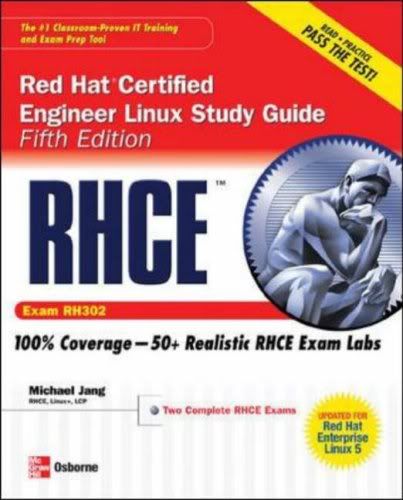
The Best Fully Integrated Study System Available
With hundreds of practice questions and hands-on exercises, RHCE Red Hat Certified Engineer Linux Study Guide, Fifth Edition covers what you need to know--and shows you how to prepare--for this challenging exam.
- 100% complete coverage of all objectives for exam RH302
- Exam Readiness Checklist at the front of the book--you're ready for the exam when all objectives on the list are checked off
- Inside the Exam sections in every chapter highlight key exam topics covered
- Real-world exercises modeled after hands-on exam scenarios
- Two complete lab-based exams simulate the format, tone, topics, and difficulty of the real exam
- Bonus content (available for download) includes installation screen review, basic instructions for using VMware and Xen as testbeds, and paper and pencil versions of the lab exams
Covers all RH302 exam topics, including:
- Hardware installation and configuration
- The boot process
- Linux filesystem administration
- Package management and Kickstart
- User and group administration
- System administration tools
- Kernel services and configuration
- Apache and Squid
- Network file sharing services (NFS, FTP, and Samba)
- Domain Name System (DNS)
- E-mail (servers and clients)
- Extended Internet Services Daemon (xinetd), the Secure package, and DHCP
- The X Window System
- Firewalls, SELinux, and troubleshooting
Pages : 848
 10 MB
10 MB
Labels: E-Books, Linux Notes 4 comments
Friday, September 12, 2008
VSFTPD "500 oops cannot change directory"
Friday, September 12, 2008
Today, I am trying to configure FTP server in my virtual Linux box.After the installation and configuration, am not able to change the directory itself. It displays the message"500 OOPS CANNOT CHANGE DIRECTORY", when i was trying to change the directory.
After searching Google, I found the solution for this. It is pretty simple, I have disabled the SELinux and ran this command
"/usr/bin/setsebool -P ftp_home_dir 1 "
This solved my issue.
After searching Google, I found the solution for this. It is pretty simple, I have disabled the SELinux and ran this command
"/usr/bin/setsebool -P ftp_home_dir 1 "
This solved my issue.
Labels: Linux Notes 0 comments
Friday, September 5, 2008
Setting up network between host and guest machines in VMWare
Friday, September 5, 2008
I am using Windows XP Host and have installed VMWare for Linux RHEL 5 which will be the Guest operating system.I will get the request timed out error When am trying to ping the IP address of host machine from Guest machine and vice versa.
After Googling, I found the solution and now am able to ping or connect between the host and guest machines.
The problem is quite simple.By default, i have selected the VMWare network configuration as NAT settings.After that, I have changed the settings to Bridge Networking.
Now it's Working fine...........
After Googling, I found the solution and now am able to ping or connect between the host and guest machines.
The problem is quite simple.By default, i have selected the VMWare network configuration as NAT settings.After that, I have changed the settings to Bridge Networking.
Now it's Working fine...........
Labels: Windows Network 2 comments
Tuesday, July 22, 2008
Friday, June 27, 2008
June 28th - Special Day for Me !!
Friday, June 27, 2008
Its a nice feeling when you know that someone likes you, someone thinks about you, someone needs you; but it feels much better when you know that someone never ever forgets your birthday "HAPPY BIRTHDAY"
Labels: General 0 comments
Subscribe to:
Posts (Atom)


